Choose what to monitor
Start with sensitive ticket tags, then add rules for selected agent roles, non-assignee views, or broader ticket view monitoring.
See when sensitive Zendesk tickets are opened.
Access Monitor logs matching ticket views with short internal notes, tags, and a View Log ticket field. Use it for VIP tickets, billing issues, escalations, compliance questions, and non-assignee visibility without cluttering every ticket.
Coming soon to the Zendesk Marketplace.
Overview
Support teams handle billing issues, VIP conversations, compliance questions, trust and safety tickets, and escalations every day. Access Monitor gives admins a simple way to see when those tickets are viewed and which rule triggered the log.
Start with sensitive ticket tags, then add rules for selected agent roles, non-assignee views, or broader ticket view monitoring.
Write a short internal note, add Zendesk tags, and append a structured entry to the Access Monitor View Log ticket field.
Use duplicate suppression and safe default rules so repeated views do not flood the ticket timeline.
Screenshots
Access Monitor works in the Zendesk admin and ticket experience, so teams can add view visibility without sending agents to another tool.
Create rules for sensitive tickets, selected agent roles, non-assignee views, and high volume workflows.
Add short internal notes and tags when a monitored ticket view matches a rule.
Use ticket events and the Access Monitor View Log ticket field to see what was logged.
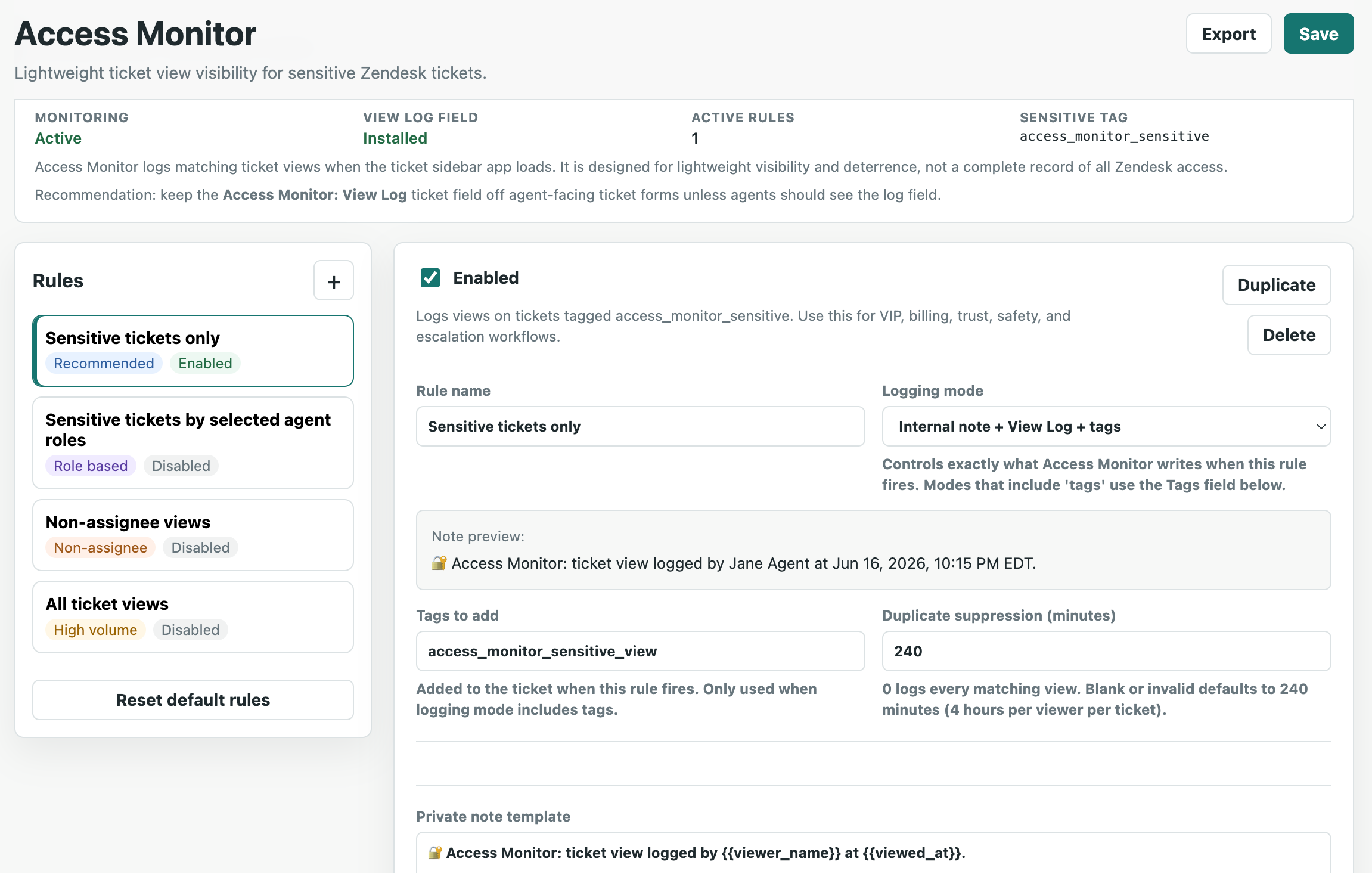
Configure safe default rules for sensitive ticket views, role-based monitoring, and high volume workflows.
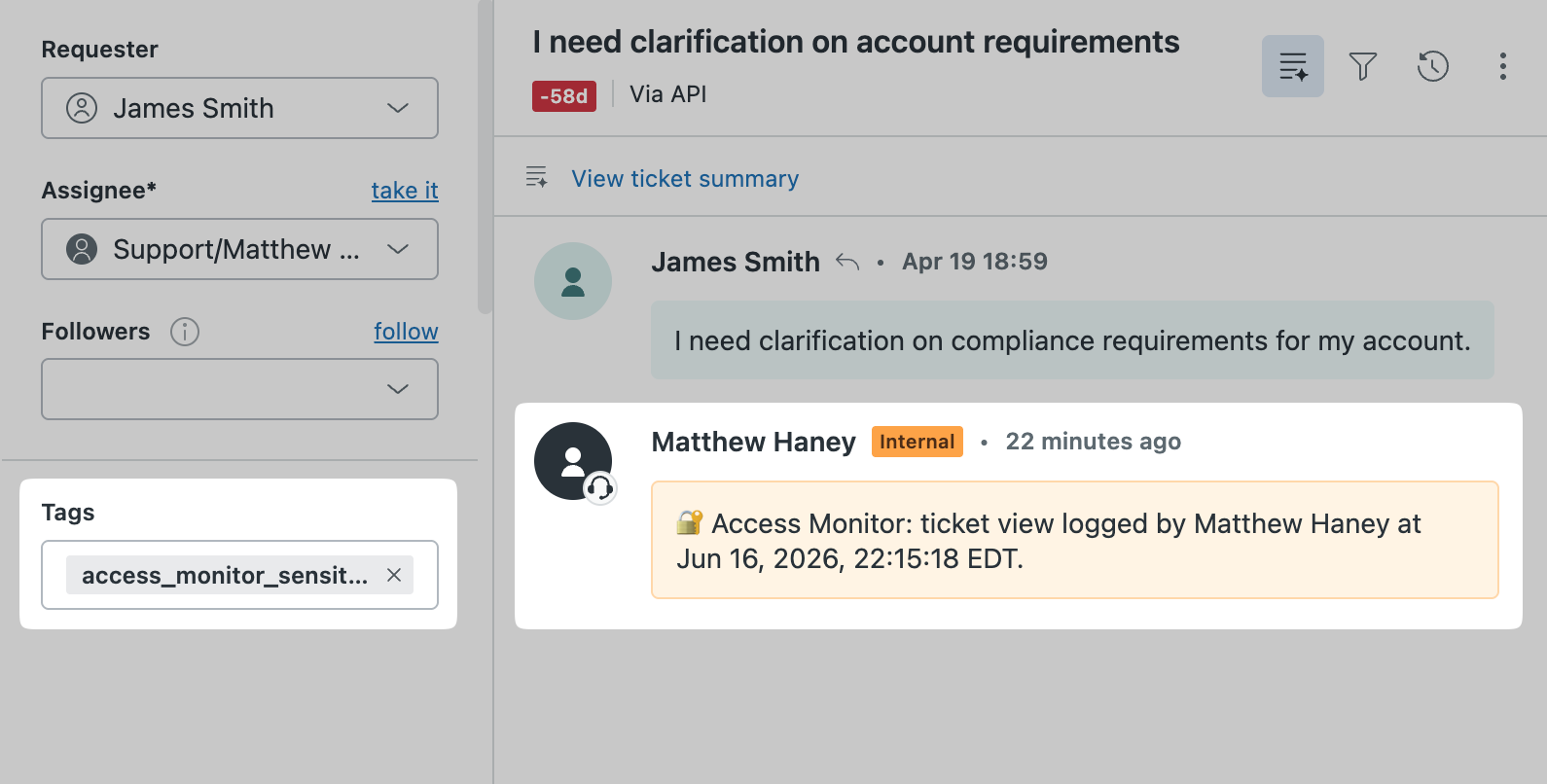
Keep the ticket timeline readable with a short internal note when a monitored view is logged.
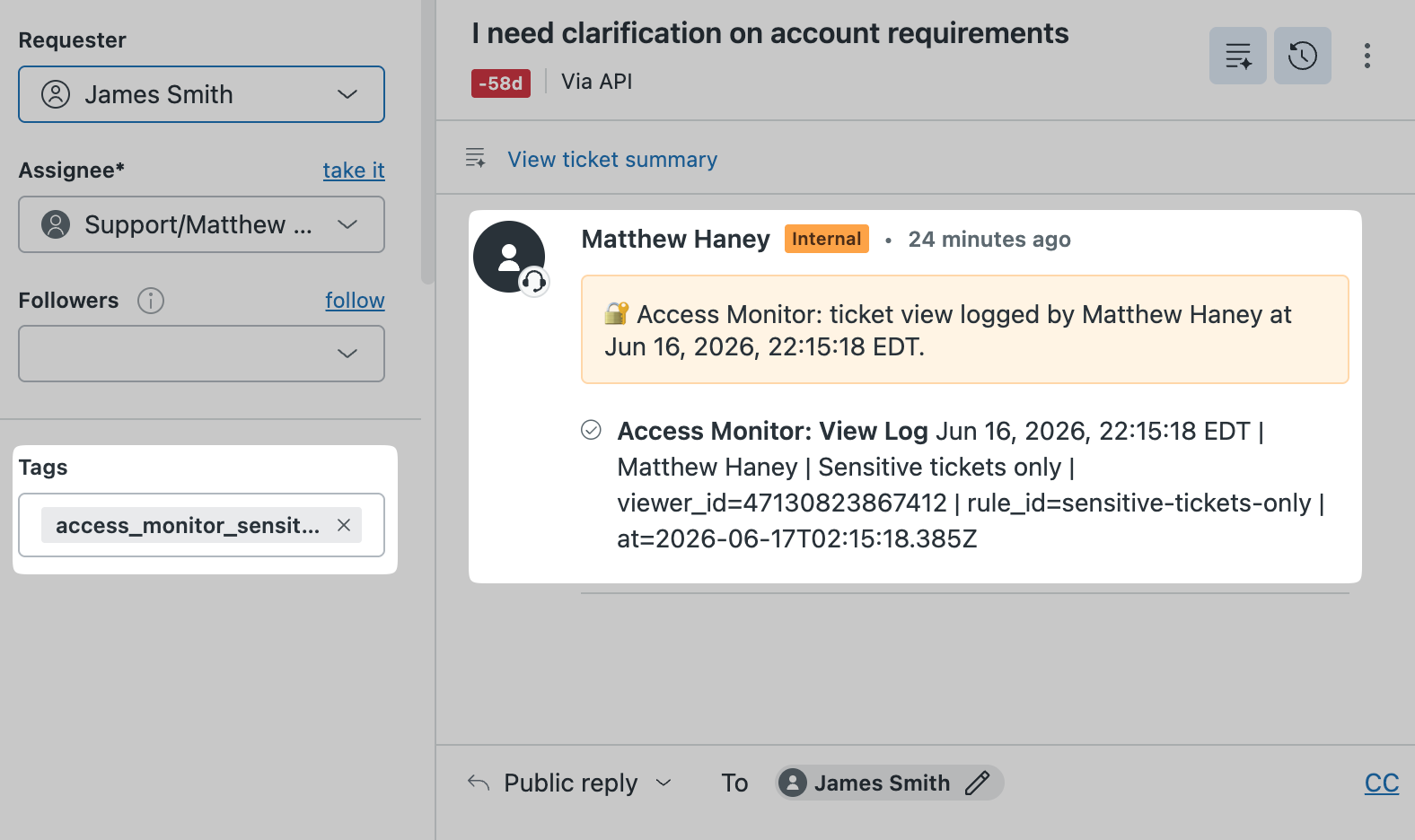
Review structured view details in ticket events and the Access Monitor View Log ticket field.
Workflow
Access Monitor is for tickets where extra visibility matters, but a full access logging program would be too heavy for the workflow.
Log views when tickets include a configured sensitive tag for billing, VIP, trust, safety, or compliance workflows.
Monitor sensitive tickets when they are viewed by selected agent roles, such as admins or agents.
Log views when a monitored ticket is opened by someone other than the assigned agent.
Features
Access Monitor gives Zendesk admins practical controls for ticket view logging while keeping the agent experience simple.
Create rules for sensitive tags, agent roles, non-assignee views, and selected high volume workflows.
Log a concise internal note when a matching view is detected, without adding long technical details to the conversation.
Append structured log entries to the Access Monitor View Log ticket field for admin review and export workflows.
Reduce repeated updates from the same viewer on the same ticket with a configurable suppression window.
Add Zendesk tags when rules fire, making it easier to build views, automations, reporting, and follow-up workflows.
Export rule configuration for review or reuse, and import settings when setting up another Zendesk environment.
Privacy
Access Monitor logs matching ticket views when the Zendesk ticket sidebar app loads and a configured rule matches.
It is not a complete record of all Zendesk access and is not a replacement for Zendesk native access logs, advanced security features, or compliance-grade audit logging.
Access Monitor does not sell customer data, use customer data for advertising, or share customer data with unauthorized third parties.